
BuildNow GG for PC
Online 3rd person survival shooter in which you can build and shoot!Updated January 5, 2026
BuildNow GG PC Details
| Category | Action |
| Author | BattleLab |
| Version | 0.4.02 |
| Size | 191.0 MB |
| What's New | -Fix random kick from the match- Added new weapon: Machine Gun- New skins, backpacks, and pickaxes- New Battle Pass- Improved Aim Assist- New Valentine’s Day Pack- Added weak points to buildings- Bugfix and Improvements |
BuildNow GG for PC Screenshots
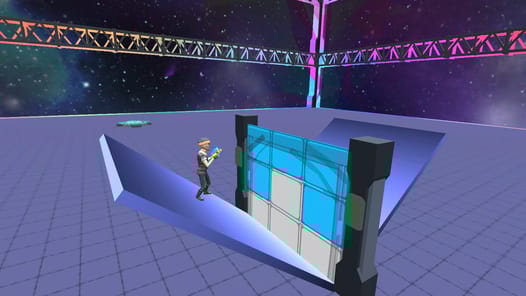
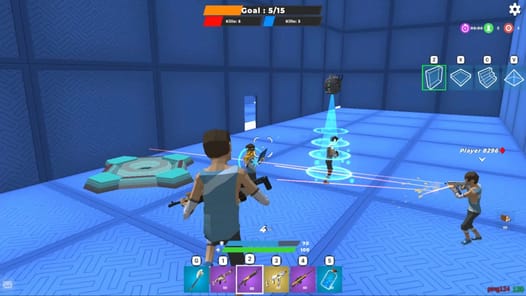
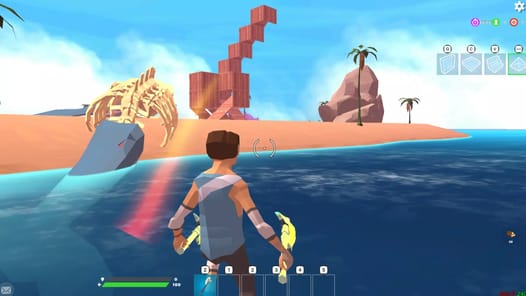
Your Guide to the Fun World of BuildNow GG
Have you been looking for a game that lets you build cool structures and battle with fun weapons? BuildNow GG might be just what you need! It is an exciting game that feels very familiar to fans of popular building and shooting games. It’s packed with action and is a great way to have some fun.
Many people love BuildNow GG because it has a lot to offer. You get to practice your building skills, aim with awesome guns, and compete against other players. It’s a game that you and your friends can enjoy playing every single day.
What Makes BuildNow GG So Great?
Build and Battle Action
The best part of BuildNow GG is the mix of building and shooting. You can quickly put up walls and ramps to protect yourself or get a better view. Then, you can use a variety of lovely guns to take on your opponents. This combination makes every match exciting and different.
A Familiar and Fun Experience
If you have ever played a big battle royale game, BuildNow GG will feel right at home. The controls and style are easy to learn, which means you can jump right into the action. It is considered one of the best alternatives available for this style of game, and some even find it more fun than other similar titles like 1v1 lol.
Play with a Controller
For those who prefer playing with a controller, you are in luck! You can connect your Xbox One controller to play BuildNow GG. This can make building and aiming much easier and give you more control during intense fights.
So Much More to Look Forward To
The future for BuildNow GG looks very bright! There is a lot of excitement for new features that could make the experience even better. Imagine a huge Battle Royale mode where you compete to be the last one standing. Many are also hoping for more ways to play with friends, like adding a friends list or being able to revive teammates who get knocked down.
There's also talk about new game modes, like Team Deathmatch or Search and Destroy. To make things more personal, new pickaxes and cool skins could be added, maybe even with a battle pass system. For players who love to get creative, the idea of building and sharing your own maps is a wonderful possibility. More settings for things like sensitivity could also give players more ways to customize how they play.
Frequently Asked Questions
Is BuildNow GG like Fortnite?
Yes, many people find that BuildNow GG is very similar to Fortnite. It shares the same fun mechanics of building structures and battling other players, making it a fantastic alternative.
Can I use a controller with BuildNow GG?
Absolutely! The game supports the use of an Xbox One controller, which can make playing feel more helpful and precise.
Are there different difficulty levels?
While you play against real people, many are hopeful for the addition of bots with easy, medium, and hard settings to help new players practice their skills.
How to Install BuildNow GG on PC
Below instructions allows you to download and install BuildNow GG app on Windows or MAC computer using an Android emulator. The process involves:
Download APK:Downloading the BuildNow GG APK file by choosing a version.
Install Android Emulator:There are a number of Android emulators the internet. Choose a emulator that works better with your PC. Now, download and install the Android emulator software.
Run the Emulator:Open the emulator you have just installed and configure the settings such as display, keywords, mouse etc.
Install Gene:Open the downloaded BuildNow GG APK file using the emulator, which will install BuildNow GG on Windows or MAC.